
12 Inbox Rules to Follow That Keep Messages From Piling Up
Dealing with a crowded inbox can feel overwhelming, but there are easy ways to manage it. The trick is to set up some simple rules that work for your workflow. Start by unsubscribing from emails you no longer need, and organize your inbox into clear sections. By making email organization a daily habit, you will prevent your inbox from becoming an unmanageable mess.
This post may contain affiliate links, which helps keep this content free. Please read our disclosure for more info.
Set Specific Times to Check Your Emails

Creating designated times to check your emails helps prevent constant distractions. Instead of checking emails throughout the day, set aside specific moments to focus on your inbox. This habit reduces the temptation to open your inbox every time you hear a new notification, which can quickly lead to a backlog. By sticking to this routine, you will gain better control over your email and avoid unnecessary interruptions to your workflow.
It is helpful to choose times when you are least likely to be interrupted, such as before starting your workday or after lunch. These scheduled moments allow you to process and respond to messages all at once, leaving the rest of your day uninterrupted. Over time, this method will keep your inbox more organized and prevent it from becoming overwhelming. You will find that your email management becomes smoother and more efficient.
Unsubscribe From Unwanted Newsletters

If your inbox is constantly flooded with newsletters or promotional emails, unsubscribing can clear a significant amount of clutter. Many of these emails are not essential, and deleting them takes up unnecessary space. By unsubscribing from unnecessary email lists, you can focus on more important messages that require your attention. Doing this once a month will ensure you avoid a build-up of unwanted content that clutters your inbox.
Take a few minutes to unsubscribe from any emails you no longer find useful. You can also use email management tools to identify and unsubscribe from bulk emails in just a few clicks. This habit significantly reduces the number of irrelevant emails coming into your inbox. It also ensures you will only receive emails that are truly important to your personal or professional needs.
Use Folders and Labels

Organizing your emails into specific folders or labels helps keep your inbox neat and easily navigable. When you receive an email, categorize it by project, task, or subject to avoid having everything in one place. This way, you can quickly locate and respond to urgent messages without sifting through a pile of irrelevant ones. Folders and labels also allow you to archive emails you no longer need but may want to reference later.
Using folders and labels is a great way to prevent your inbox from becoming too overwhelming. For example, you might have separate folders for work, personal, and newsletters. Labeling emails with specific keywords can help you find them quickly, even months later. By organizing your inbox this way, you can keep track of everything and avoid unnecessary clutter.
Delete or Archive Old Emails
Deleting or archiving emails you no longer need is a crucial step in maintaining a clutter-free inbox. Many people let old emails linger, even after they no longer serve a purpose. Archiving allows you to keep important emails without having them sit in your inbox, while deleting removes unnecessary clutter entirely. By making this a regular habit, you will prevent your inbox from becoming overcrowded with outdated messages.
It is a good idea to set aside time each week to clean up your inbox by archiving or deleting old emails. Doing so will ensure that only current, relevant messages remain. This routine can also help you focus on the more important, time-sensitive tasks at hand. When your inbox is clear of unnecessary messages, it becomes easier to maintain overall organization.
Respond to Emails Immediately

One effective way to prevent messages from piling up is by responding to emails as soon as possible. When you receive an email, decide if it requires a reply right away or if it can wait. If it requires only a short response, handle it immediately rather than putting it off. This will keep your inbox manageable and help prevent any messages from getting lost or forgotten.
Developing the habit of replying quickly ensures you are not leaving important emails pending for days or weeks. By handling smaller tasks right away, you will prevent your inbox from filling up with messages that still need attention. Even if you cannot respond fully at that moment, acknowledging the email can help keep things moving forward. This approach helps you stay on top of your communications and keeps your inbox from overflowing.
Set Up Email Filters

Email filters are an excellent tool for automatically sorting messages into the appropriate folders as they arrive. Filters can be set to prioritize certain senders, subjects, or keywords, ensuring that important emails are directed to the top of your inbox. By using filters, you can also automatically delete or archive less important emails without them ever appearing in your main inbox. This method saves time and prevents unnecessary distractions.
Setting up filters also helps maintain a clean and organized inbox, especially if you receive a high volume of emails daily. For instance, you can filter out automated notifications or social media updates, so they do not clog up your inbox. This rule keeps your inbox focused on the emails that truly matter to you. Over time, your inbox will become more efficient and easier to manage.
Use the “One Touch” Rule

The “one touch” rule is a powerful method to prevent unnecessary back-and-forth with emails. This rule suggests that when you open an email, you should either respond, delete, or file it, but not leave it in your inbox to be dealt with later. By taking immediate action on every email, you reduce the chances of letting emails pile up and overwhelm you. This simple habit can greatly increase your efficiency in email management.
Implementing this rule ensures that every message is dealt with in a timely manner. It also helps prevent the mental clutter of constantly thinking about emails you have yet to address. When you take action right away, your inbox stays organized, and your to-do list becomes much shorter. As a result, your email management will feel less stressful and more streamlined.
Prioritize Emails by Importance

Another useful strategy is prioritizing emails based on their level of importance. Use labels or flags to identify messages that need immediate attention, while less urgent emails can be dealt with later. This practice ensures that you are addressing the most critical emails first, which helps you stay on top of time-sensitive matters. By making this a daily habit, you will keep your inbox under control and focused on the tasks that truly matter.
This rule also allows you to filter out less important communications, so you can focus on what requires your attention. You can create custom categories to categorize your emails, such as “urgent,” “follow-up,” or “to read later.” By structuring your inbox in this way, you can handle your email more efficiently and prevent unnecessary messages from piling up.
Turn Off Email Notifications

Email notifications can be a major source of distraction, leading you to check your inbox more often than necessary. By turning off these notifications, you can create a more focused work environment and check your inbox only when it fits into your schedule. This reduces the chance of being bombarded by new messages and helps you stay on top of your email routine. You will be able to respond to messages at designated times, keeping your inbox from filling up unnecessarily.
Turning off notifications also allows you to be less reactive and more proactive with your email management. When you control when you check your inbox, you can stay focused on your work without interruptions. This helps you avoid feeling overwhelmed by a constant stream of incoming emails. As a result, your inbox will stay organized, and your time will be better managed.
Use the Search Function
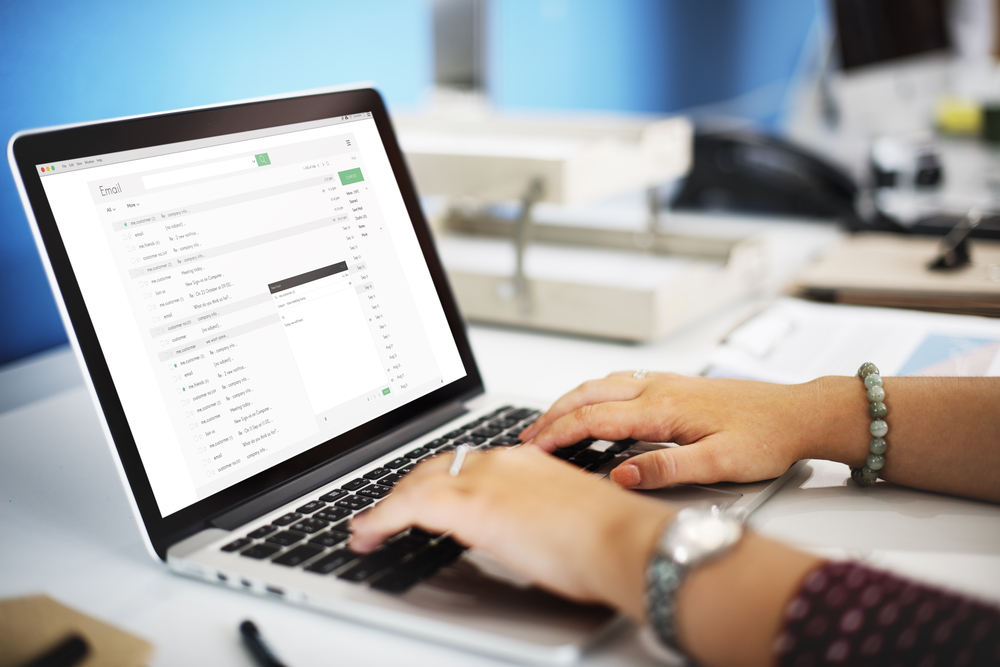
The search function in most email platforms is an underused but incredibly powerful tool. Instead of scrolling through your inbox for specific messages, use the search bar to quickly locate them. This method helps you find important emails within seconds, without wasting time looking for them. By getting comfortable with the search function, you can easily locate messages that might otherwise get lost in your cluttered inbox.
Using search efficiently helps you avoid unnecessary accumulation of messages in your inbox. For example, if you know the subject or sender, you can instantly find the email you need. This method helps you clear out your inbox faster and prevents the need to leave messages you no longer need. Regularly using the search function can make your email management process much quicker and more streamlined.
Keep Your Inbox Clean Daily
Cleaning your inbox daily is one of the easiest and most effective ways to stay on top of your email management. Set aside a few minutes at the end of each day to delete unnecessary emails, archive important messages, and respond to any pending items. By keeping your inbox clean every day, you prevent a buildup of messages and ensure that your inbox stays organized. This routine also keeps you from feeling overwhelmed by a cluttered inbox.
Daily cleaning is a simple habit that can have a big impact on your overall productivity. It allows you to start each day with a fresh and organized inbox, which sets a positive tone for the rest of your tasks. By staying on top of your email management, you can avoid unnecessary stress and keep your communication running smoothly. This simple rule is key to avoiding the chaos of a full inbox.
Use Email Templates for Common Responses
Email templates are an excellent way to streamline your communication and avoid typing out the same responses repeatedly. By creating templates for common inquiries or replies, you can quickly address emails without having to start from scratch every time. This saves you time and helps prevent your inbox from becoming bogged down with repetitive tasks. Templates are particularly useful for customer service or work-related emails that follow a similar format.
Setting up these templates is easy and can be done within most email platforms. They also help you maintain consistency in your communication while reducing the mental load of coming up with new responses each time. By using templates, you can reduce the time spent on emails, allowing you to focus on more important tasks. This will keep your inbox moving efficiently and prevent messages from piling up.
This article originally appeared on Avocadu.